English





BookStack vs Confluence Cloud – Self-Hosted vs Managed Documentation
BookStack vs Confluence Cloud: The Short Answer
Do you need a focused documentation library that your team is prepared to operate, or a broader workspace that Atlassian runs for you? Frame BookStack vs Confluence around that choice—not as a contest between a “free” wiki and a paid one.
- Choose BookStack when structured, searchable documentation and control over the host and data placement matter, and someone can own updates and recovery.
- Choose Confluence Cloud when real-time collaboration, Jira-connected work, a broad extension ecosystem, formal support, and Atlassian-operated infrastructure matter more.

BookStack is self-hosted, meaning the application runs on infrastructure the customer chooses and is responsible for, whether local or rented in the cloud. It has no software-license or per-seat fee, but infrastructure and administration still cost money. Confluence Cloud has a limited Free plan for up to 10 users as well as paid managed plans.
Both products store team knowledge, but they are not exact substitutes. Compare them by content model, collaboration, integrations, permissions, who runs the service, and total cost.
Same Core Job, Different Product Ambitions
BookStack is MIT-licensed, self-hosted wiki and documentation software. Its content hierarchy follows a physical library. Pages contain the information, while optional chapters group related pages. Books hold related material, and shelves group those books.
Confluence Cloud is Atlassian’s managed software as a service (SaaS) team workspace. Managed SaaS means the vendor operates the platform and infrastructure, while the customer administers users, content, and governance. A site contains spaces, nested content, and several content types.
BookStack — structured documentation path
Shelf
↓
Book
↓
Chapter (optional)
↓
Page
Confluence Cloud — mixed content within a space
Site → Space
↳ Pages and live docs
↳ Whiteboards and databases
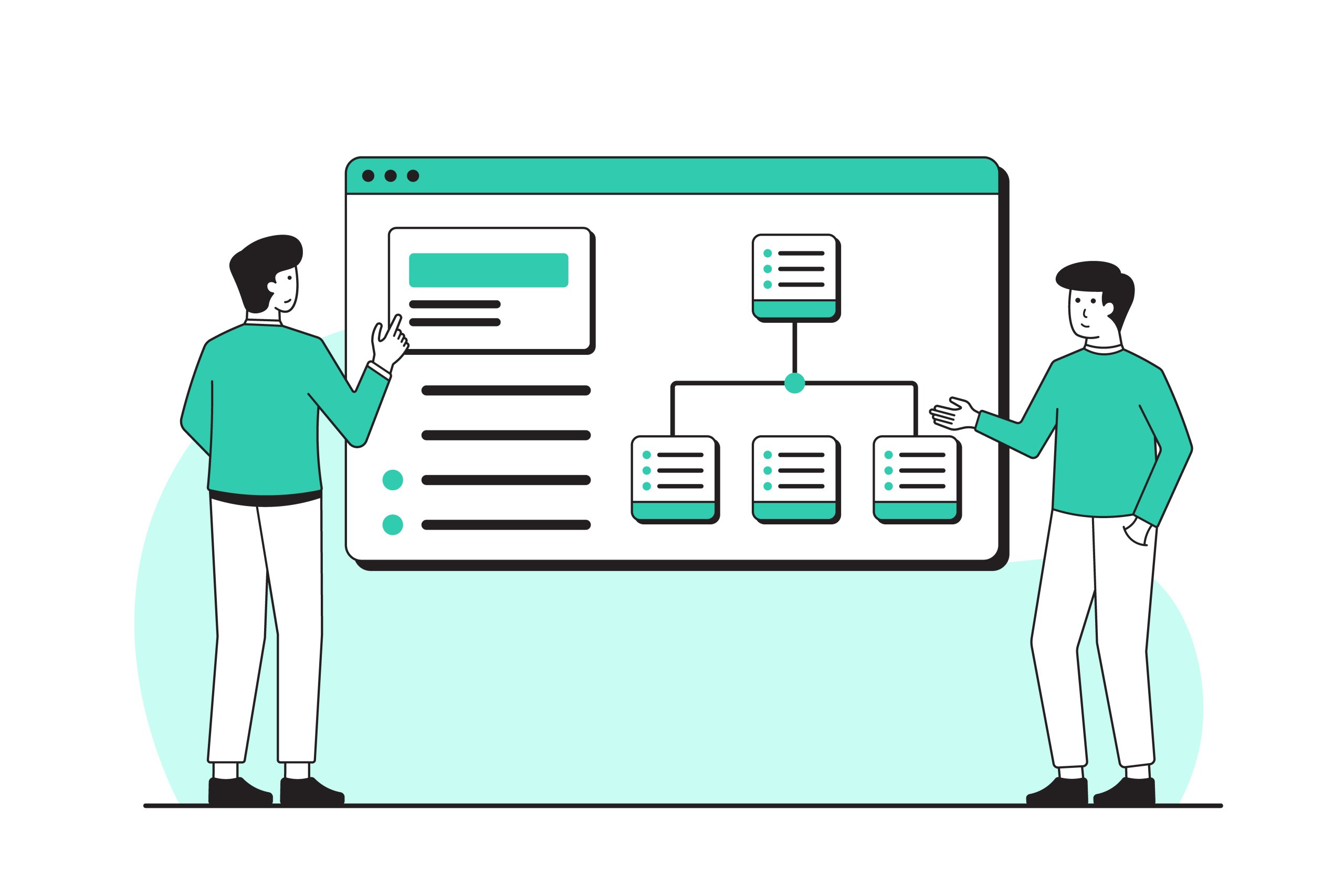
Content-model diagram: BookStack guides content toward pages in a library hierarchy. Confluence spaces can hold several content types. A BookStack shelf groups books, and the same book may appear on multiple shelves.
Think of BookStack as a purpose-built library with a visible shelving system. Confluence Cloud is a connected team campus with a library, meeting rooms, whiteboards, project connections, and managed facilities. This describes scope, not quality. BookStack’s narrower model can encourage documentation discipline; Confluence Cloud’s breadth helps when knowledge work also includes planning and project execution.
The comparison therefore needs to ask what each model enables, not which product lists more features.
How BookStack and Confluence Cloud Differ
Both options provide searchable shared knowledge, editing, revision history, permissions, and integration points, but package them around different content and ownership models. Treat focused versus broad, customer-operated versus vendor-operated, and fixed versus flexible as design choices—not automatic strengths or weaknesses. Read each row as a requirement test.
| Criterion | BookStack | Confluence Cloud |
|---|---|---|
| 🎯 Primary purpose | Focused documentation library | Broad knowledge and collaboration workspace |
| 🗂️ Content structure | Shelves, books, optional chapters, and pages | Sites, spaces, nested content, and multiple content types |
| ✍️ Editing and collaboration | WYSIWYG or optional Markdown; comments, mentions, revisions, and edit-conflict warnings | Rich cloud editor, real-time editing, live docs, comments, mentions, and whiteboards |
| 🔌 Integrations and extensibility | REST API, webhooks, identity integrations, and operator-built extensions | Atlassian connections, Smart Links, automation, and Marketplace apps |
| ⚙️ Deployment and operation | Customer-chosen host; customer or provider handles infrastructure tasks | Atlassian-operated cloud service |
| 🌍 Data placement | Chosen by the operator and hosting provider | Atlassian regions and plan-dependent data-residency controls |
| 🔐 Access and identity | Role and content-level permissions; OIDC, SAML, LDAP, and MFA options | Space and content controls; identity and security capabilities vary by plan or Atlassian Guard |
| 🛟 Support and service guarantees | Community help without response assurance; optional official paid support | Vendor support and service commitments vary by plan |
| 💰 Cost model | Infrastructure, backups, optional support, and operator time; no software-seat fee | Free tier or recurring user/plan charges, plus possible app and identity costs |
| ✅ Best fit | Durable, structured documentation for a team willing to run the service | Collaboration-heavy or Jira-connected work with Atlassian running the service |
Organizing and Writing Documentation
Consider a team maintaining deployment runbooks, onboarding guidance, and service-recovery procedures. These documents must remain easy to find even after their original authors move to other projects. That requires knowledge hygiene: content must stay current, findable, and intentionally placed. It also needs a clear owner.
In BookStack, an engineering shelf might group books for onboarding, production services, and incident recovery. Chapters can separate environments or service families, while pages hold each procedure. Readers get predictable navigation, and new material has a clear home.
BookStack covers the durable-documentation workflow without a separate publishing stack.
- Authors can use its WYSIWYG editor or switch to the optional Markdown editor.
- Search works across the installation or within a narrower scope, while revisions preserve earlier page versions.
- Templates and tags help teams create and categorize content consistently.
- Direct paragraph links, reusable page content, and built-in diagrams.net support more connected documentation.
Together, these tools suit manuals, policies, and runbooks. They also cover onboarding material and customer documentation without turning each document into a custom project.
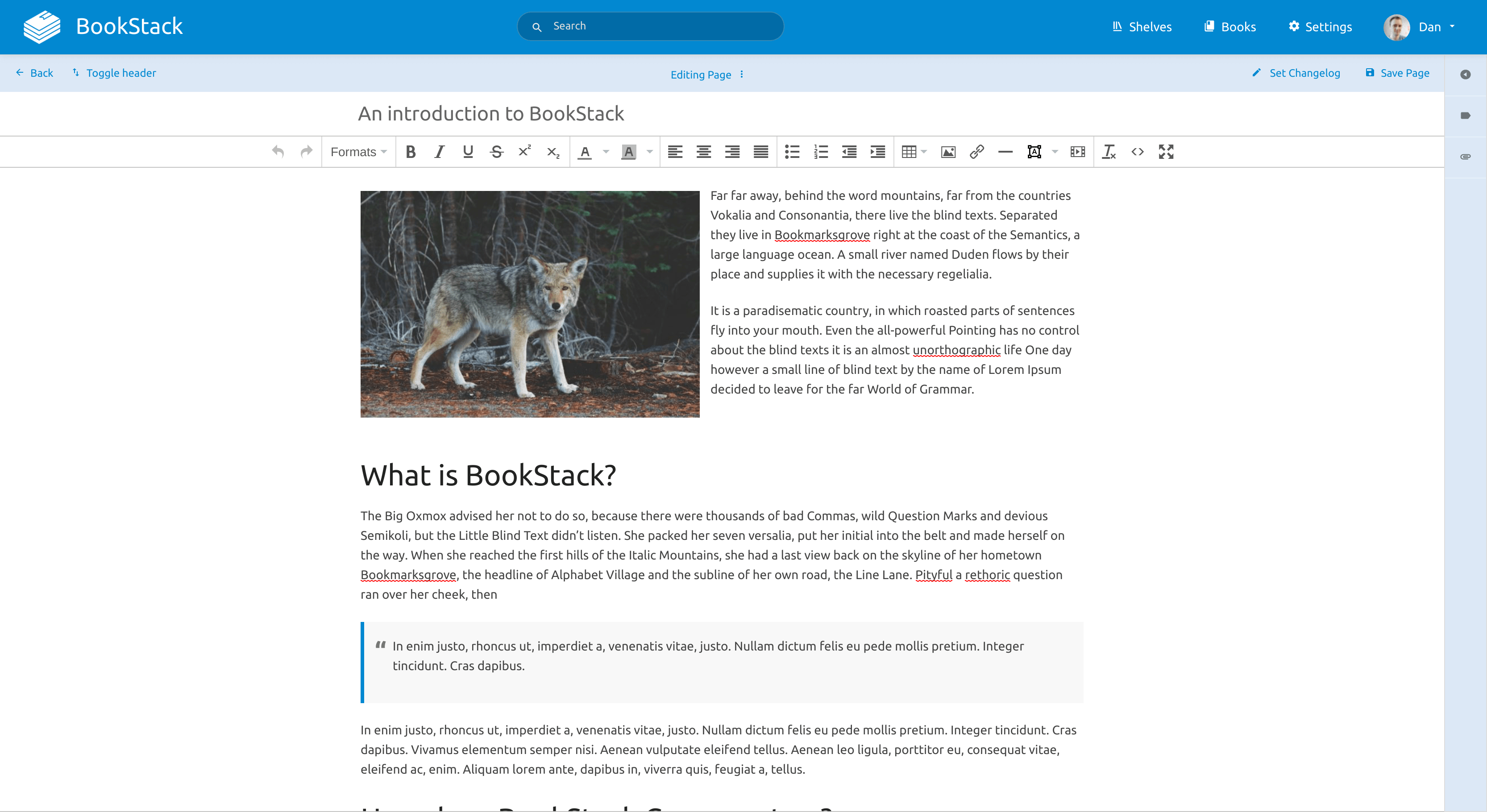
BookStack’s WYSIWYG page editor keeps writing and formatting inside the documentation interface.
The source of that clarity is also the constraint: content must fit the library model. Tags provide another way to categorize it, but BookStack is less natural for freeform canvases or card and board views. It is also not designed to treat documentation as database-like records alongside several other content modes.
Confluence Cloud maps the same material into spaces and a nested content tree, where pages can sit beside live docs, whiteboards, and databases.
- Templates support repeatable document structures, while version history preserves earlier work.
- Comments, mentions, and real-time editing keep discussion close to the content.
- Smart Links connect related work from other tools.
Together, these features let teams move from brainstorming to planning and then durable reference material. Published pages suit stable procedures; live docs update for viewers without a separate publish step, which better fits active notes.

Confluence Cloud brings comments, mentions, and publishing controls into the editing view.
Breadth does not maintain itself. Confluence teams still need clear naming and ownership rules. They also need permission, archiving, and review habits, or a flexible workspace becomes difficult to navigate. The practical distinction is what happens before information becomes reference material. BookStack guides authors toward a durable page, while Confluence Cloud keeps ideation and discussion beside the eventual publication.
Collaboration, Integrations, and Growth
BookStack supports team publishing with roles and content-level controls. Its roles and permissions implement role-based access—abilities are assigned to roles, which are then assigned to users—with more specific permissions available for shelves, books, chapters, or pages.
📝 Note: BookStack supports collaborative documentation, but it does not provide Google-Docs-style simultaneous co-authoring. It warns about concurrent page edits and relies on comments, mentions, and revisions around the editing process.
Webhooks and a built-in REST application programming interface (API) provide connection points for other systems. BookStack also supports multifactor authentication and several identity integrations. These include OpenID Connect (OIDC), Security Assertion Markup Language (SAML 2.0), and Lightweight Directory Access Protocol (LDAP). The capabilities are useful building blocks, but the operator owns custom integration work, compatibility, and troubleshooting.

Confluence Cloud pulls ahead when connected work is central. Real-time editing and live docs support simultaneous work, while whiteboards help teams shape ideas. Jira work-item links and macros connect plans to execution. Smart Links bring in related context, while automation and mobile access support work beyond the main editor. Marketplace extensions can extend the workflow further. Its permission structure and automation allowances vary by plan. Some single sign-on, provisioning, and security needs may involve Atlassian Guard or extra app costs.
A 30-person technical team with stable runbooks may fit BookStack better than a 10-person product team whose daily work revolves around Jira and live collaboration.
An integration is valuable when it removes a real handoff. If nobody uses it, ecosystem breadth is complexity and cost—not growth capacity.
Control, Security, Support, and Operational Responsibility
⚠️ Warning: Self-hosting gives control over infrastructure and data placement. It does not automatically provide security, confidentiality, compliance, or recoverability.
Data placement means deciding where service data is stored and which provider or servers contain it. BookStack operators select the host and region, decide how the service reaches the network, and control updates and identity connections. Those choices do not determine who can access the data, which laws apply, or whether recovery works.

Each area of control creates a matching duty:
- Choose the host, region, and exposure → follow BookStack’s security guidance for HTTPS, access paths, and host configuration.
- Choose update timing → track BookStack security releases and maintain the application and runtime.
- Control stored data → back up MariaDB records and instance files away from the live service.
- Choose identity connections → maintain and validate authentication behavior.
- Control capacity → monitor storage, resources, and availability, then respond to incidents.
BookStack has no built-in full backup-and-restore workflow. Its backup guidance requires database records, instance files, and configuration. Preserve the original .env and APP_KEY; changing the key can break encrypted features such as stored MFA credentials. Restore testing means proving backups can recreate a usable service, not merely confirming that files exist.
BookStack
Users → BookStack + MariaDB → chosen host
Customer maintains the application, database, host, backups, and recovery.
Confluence Cloud
Users → Atlassian-operated platform
Atlassian maintains the platform; the customer manages users, access, and content.
📝 Note:The main difference is who maintains the application platform.
With Confluence Cloud, Atlassian operates the infrastructure, applies platform updates, and handles service recovery. Storage, support hours, administration features, and service-level agreements (SLAs) vary by plan.
Customers still manage accounts and content. They decide how content is shared, set permissions, approve apps, and maintain workable export or continuity planning.
Cost and Convenience: What You Actually Pay For
Total cost of ownership (TCO) is the full cost of keeping a service useful over time: direct spending, internal labor, maintenance, support, and recovery—not just the checkout price.
BookStack TCO: hosting + domain/DNS where relevant + backup capacity + monitoring + optional paid support + administration and recovery time.
Confluence Cloud TCO: plan/user charges + paid apps or identity/security services where required + internal user, permission, and content-governance work.

BookStack’s MIT license carries no software-license or per-seat fee. Users share infrastructure until storage, performance, support, or operating demands require more capacity.
Application-ready hosting can cut setup work, but your team still runs BookStack. For example, the AVA.HOST BookStack Cloud App includes one-click deployment with a custom domain and HTTPS. It automates application updates and scheduled backups while retaining terminal access. The service also provisions a MariaDB container, but that database remains unmanaged. The customer still manages users, permissions, and data governance. They must also review capacity and validate restores. Integration behavior and important workflows need checking after updates.
📝 Pricing note: Confluence prices and limits below were checked on September 30, 2026. Atlassian changes quotes by user count, billing term, and region, so verify the live pricing calculator before buying.

Confluence Cloud Free supported up to 10 users and 2 GB of storage but did not allow customizable permissions. The public US page showed approximately $5.42 per user/month for Standard and $10.44 per user/month for Premium. These are illustrative rates, not permanent quotes.
Standard listed 250 GB of storage and customizable content permissions. It also included data residency and business-hours support. Premium moved to unlimited storage and added advanced controls. Its support was available 24/7 and included a 99.9% SLA.
The services scale costs differently. BookStack grows through shared infrastructure, storage, and operator or support capacity. Confluence Cloud grows through user counts and plan tiers, with Marketplace apps or identity and security services potentially adding to the bill. There is no honest universal break-even headcount.
- Model three years using the expected team size and chosen plan.
- Include add-ons, hosting, backup storage, staff time, and incident assumptions.
- Price paid apps and identity or security services over the same period.
Which One Fits Your Use Case?

Apply six filters: primary job, collaboration depth, ecosystem dependency, hosting-location needs, someone to maintain BookStack, and support or governance needs. The matrix offers conditional defaults, not winners; change a deciding condition and the recommendation may change with it.
| Use case | Conditional default | Deciding condition |
|---|---|---|
| 🧑💻 Individual or self-hoster | BookStack | Prefers a direct documentation hierarchy and can own updates and tested recovery |
| 🛠️ Small technical team with runbooks | BookStack | Documentation is the main job, workflows are stable, and a specific person or team maintains it |
| 🏢 Small-business handbook | BookStack, conditional | Simple policies and onboarding lead, with technical ownership; choose Confluence Cloud if nobody can operate the service or collaboration breadth is central |
| 🌐 Public or customer documentation | BookStack, conditional | Predictable published documentation and placement control lead; choose Confluence Cloud for Jira Service Management-connected customer workflows |
| 🔗 Jira-heavy product or engineering organization | Confluence Cloud | Jira-connected planning, Smart Links, real-time work, and Marketplace workflows are used daily |
| 🤝 Collaboration-heavy cross-functional team | Confluence Cloud | Live editing, whiteboards, databases, mobile work, and mixed content outweigh a narrower documentation model |
| 🏛️ Regulated or audit-heavy enterprise | Confluence Cloud often, subject to due diligence | Formal support, plan-level governance, identity controls, and service commitments lead; BookStack remains possible where self-hosted placement is mandatory and mature operations exist |
| ⚠️ Team with nobody assigned to run BookStack | Confluence Cloud | Nobody owns patching, monitoring, application/database recovery, or incident response |
Before committing, ask five questions:
- Is the real need a documentation library or a broader collaborative workspace?
- Which Confluence-only workflows would the team use often enough to justify their cost and complexity?
- Is control over the host, region, or network placement a documented requirement?
- Who patches, monitors, and restores BookStack, and who covers that person’s absence?
- What is the full three-year cost after plans, apps, hosting, backup storage, support, and people time?
If question four has no clear answer, BookStack is not ready for production.
Regulated organizations need their own security, legal, procurement, and compliance review regardless of the apparent fit. A hosting choice or Confluence plan is one input into that due diligence, not automatic approval.
The Bottom Line: Scope and Ownership Decide the Fit
Choose the purpose-built library when documentation is the destination and your team can run it reliably. Choose the connected campus when live collaboration and Atlassian-connected work are daily requirements.
Test the likely winner with one representative workflow. One-click setup can make BookStack easier to start, but the team must still accept responsibility for maintaining and recovering it. If both the workflow and maintenance plan hold up, commit.
Related Posts